
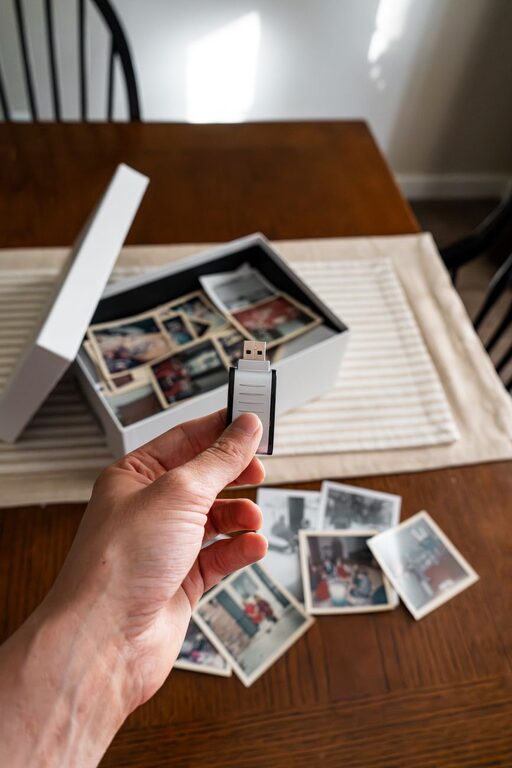
Digital photos are easy to collect and surprisingly hard to manage. A few pictures from your phone can quickly become thousands of files spread across devices, apps, memory cards, and cloud accounts. When every photo feels important, organizing them can seem like an enormous project.
The good news is that you do not need to sort everything in one weekend. A simple plan, a few consistent habits, and realistic expectations can make the process much easier. The goal is not perfect organization. The goal is to create a system that helps you find, enjoy, and protect your photos.
Start With a Simple Goal
Before opening your photo library, decide what you want your system to accomplish. A clear goal will help you avoid spending too much time on minor details.
For most people, a useful photo organization system should make it easy to:
- Find photos from a particular person, place, or event
- Remove obvious duplicates and unwanted images
- Keep important photos backed up
- Share or print favorite pictures when needed
- Continue organizing new photos without starting over
You do not need to label every image with detailed information. Start with the level of organization that will make your daily life easier.
Gather Your Photos in One Place
The first practical step is to identify where your photos are stored. Check your phone, computer, tablets, external drives, camera memory cards, and cloud services. You may discover that the same photos exist in several places.
Create a basic list of your sources, such as:
- Phone photo library
- Computer folders
- Cloud photo services
- Old phones or tablets
- Camera cards
- USB drives and external hard drives
Do not move or delete anything immediately. First, make sure you know where your files are and which locations may contain the only copy of certain photos.
If you have a large collection, work with one source at a time. For example, begin with your current phone, then move to your computer, and finally review older storage devices.
Create a Folder Structure That Makes Sense
A folder system gives your photos a clear home. Keep it simple enough that you will actually use it.
One common approach is to organize photos by year and event:
- 2026
- 2025
- 2024
Inside each year, you might create folders such as:
- 2026-01 Winter Weekend
- 2026-03 Family Birthday
- 2026-05 Garden Project
Using the year and month at the beginning of a folder name keeps folders in chronological order. Descriptive event names also make them easier to search later.
If you take many photos of everyday life, you can use monthly folders instead:
- 2026-01 January
- 2026-02 February
- 2026-03 March
Choose one structure and use it consistently. A simple system that you maintain is better than a detailed system that becomes difficult to update.
Sort Photos in Small Sessions
Trying to organize your entire collection at once can quickly lead to frustration. Instead, set a small target for each session. You could organize one month, one event, or 200 photos at a time.
Use a timer for 15 to 30 minutes. When the time is up, stop or take a break. This approach turns a large project into a series of manageable tasks.
During each session, place photos into a few broad categories:
Keep
Keep photos that are meaningful, useful, or especially well-composed. These may include family moments, travel memories, important documents, and pictures you may want to print or share.
Delete
Remove blurry images, accidental shots, repeated screenshots, and photos that no longer have value. If you are unsure about a picture, place it in a temporary review folder instead of making an immediate decision.
Review Later
A review folder can prevent indecision from slowing you down. Set a future date to look at these photos again. You may find that some become easier to delete after you have had time away from them.
Remove Duplicates Carefully
Duplicates take up space and make it harder to find the best version of a photo. Look for groups of nearly identical images, especially burst shots and multiple downloads of the same file.
When comparing similar photos, keep the version with:
- The clearest image
- The best facial expressions or natural moment
- The highest resolution
- The correct orientation
- The most complete view of the scene
Be careful when using automatic duplicate-finding tools. Review suggested deletions before confirming them, particularly if the tool is working across multiple folders or devices. Never delete files from one location until you know another usable copy exists.
Use Consistent File Names
Most photo apps can search by date, location, or recognized subjects, but clear file names can still help when you use folders or share files outside your photo library.
A useful naming pattern might be:
YYYY-MM-DD Event Description
For example:
2026-06-14 Lake Trip
You do not have to rename every photo in your collection. Consider renaming only important images, exported albums, or files stored in project folders. For everyday photos, a clear folder structure may be enough.
Make Albums for Frequent Searches
Folders are helpful for storage, while albums are useful for viewing and sharing. Create albums based on how you use your photos rather than trying to duplicate your entire folder system.
Useful album ideas include:
- Favorites
- Family
- Pets
- Travel
- Seasonal photos
- Photos to print
- Projects and home updates
Keep the number of albums manageable. If you create too many, finding the right one may become just as difficult as searching through an unorganized library.
Protect Your Photos With Backups
Organization is only half the job. Photos should also be protected from device damage, loss, or accidental deletion.
A practical backup plan includes at least two copies stored in different locations. For example, you might keep one copy on your computer and another on an external drive or trusted cloud service.
Follow these basic habits:
- Turn on automatic photo backups when available
- Back up your computer and external drives regularly
- Check that backups are completing successfully
- Keep important photos in more than one location
- Replace aging storage devices before they fail
A backup is only useful if you can access it. Occasionally open a few backed-up photos to confirm that the files are present and readable.
Build a Routine for New Photos
Once your existing collection is under control, create a small routine to prevent another buildup. Set aside a few minutes each week or month to review recent photos.
A simple routine might look like this:
- Delete accidental photos and obvious duplicates.
- Add meaningful photos to the appropriate folder or album.
- Move photos from temporary device storage if needed.
- Confirm that new photos are backed up.
- Choose a few favorites for printing or sharing.
You can also review screenshots regularly. Screenshots often become one of the largest sources of clutter because they are useful for a short time but rarely need to be kept permanently.
Give Yourself Permission to Stop
Photo organization does not need to become a second job. Once your photos are easy enough to find and safely backed up, the system is working.
Do not worry about achieving perfect labels, flawless folders, or a complete review of every image. Start with recent photos and the memories that matter most. Then improve the system gradually as you use it.
The best organization method is one that reduces stress, protects your memories, and helps you spend more time enjoying your photos than managing them.
